Project manager · living documents
Kanso runs a project end to end — teams, projects, tickets, cycles, a roadmap, a timeline with dependencies, workload — and keeps the documents that explain it alongside.
Everyone who does not open it reads the same data in Notion.
docker compose up
The source on GitHub
The walk-through
Five screens, in the order you meet them
A project, a ticket, then the same tickets read three ways.
-
01
Create a project
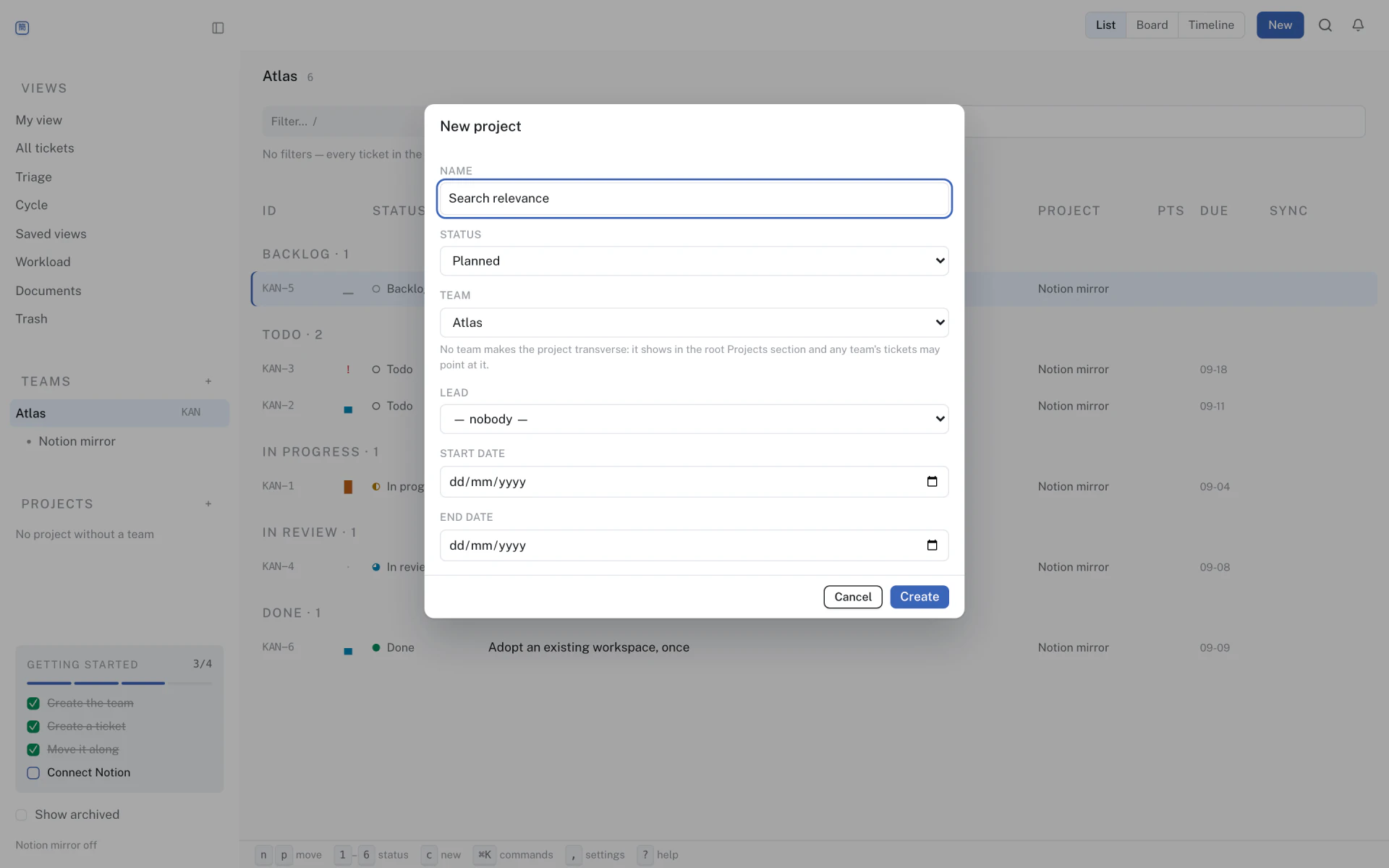
A team owns its tickets; a project groups them across the team and carries a lead, a status and dates. Cycles and the roadmap read from the same rows.
-
02
Create a ticket
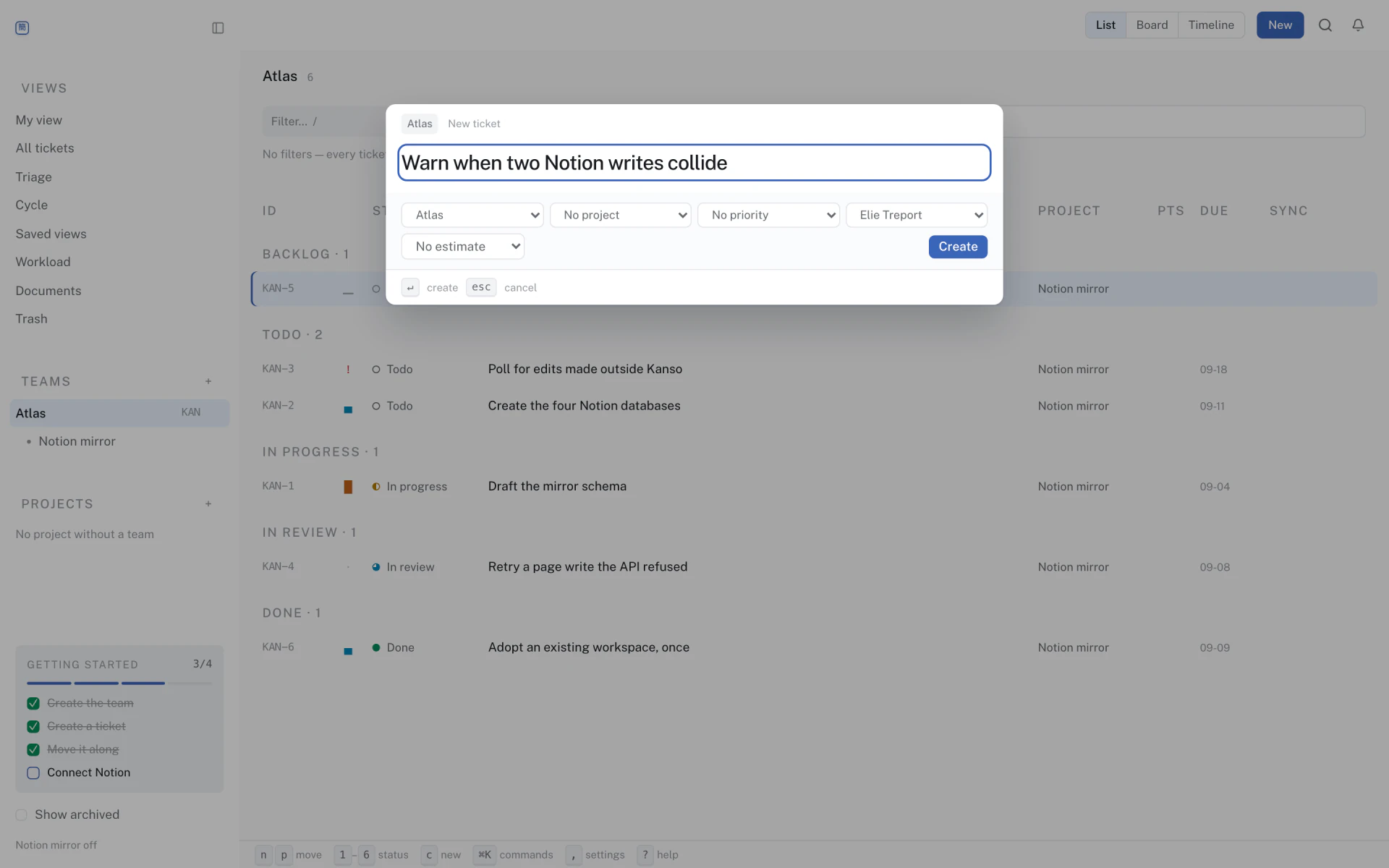
cfrom anywhere,eto rename in place,1–6for your team's first six statuses and⇧sto pick any of them by name. The ticket takes a short per-team identifier — KAN-1, then KAN-2 — allocated inside the insert. -
03
Read it as a timeline
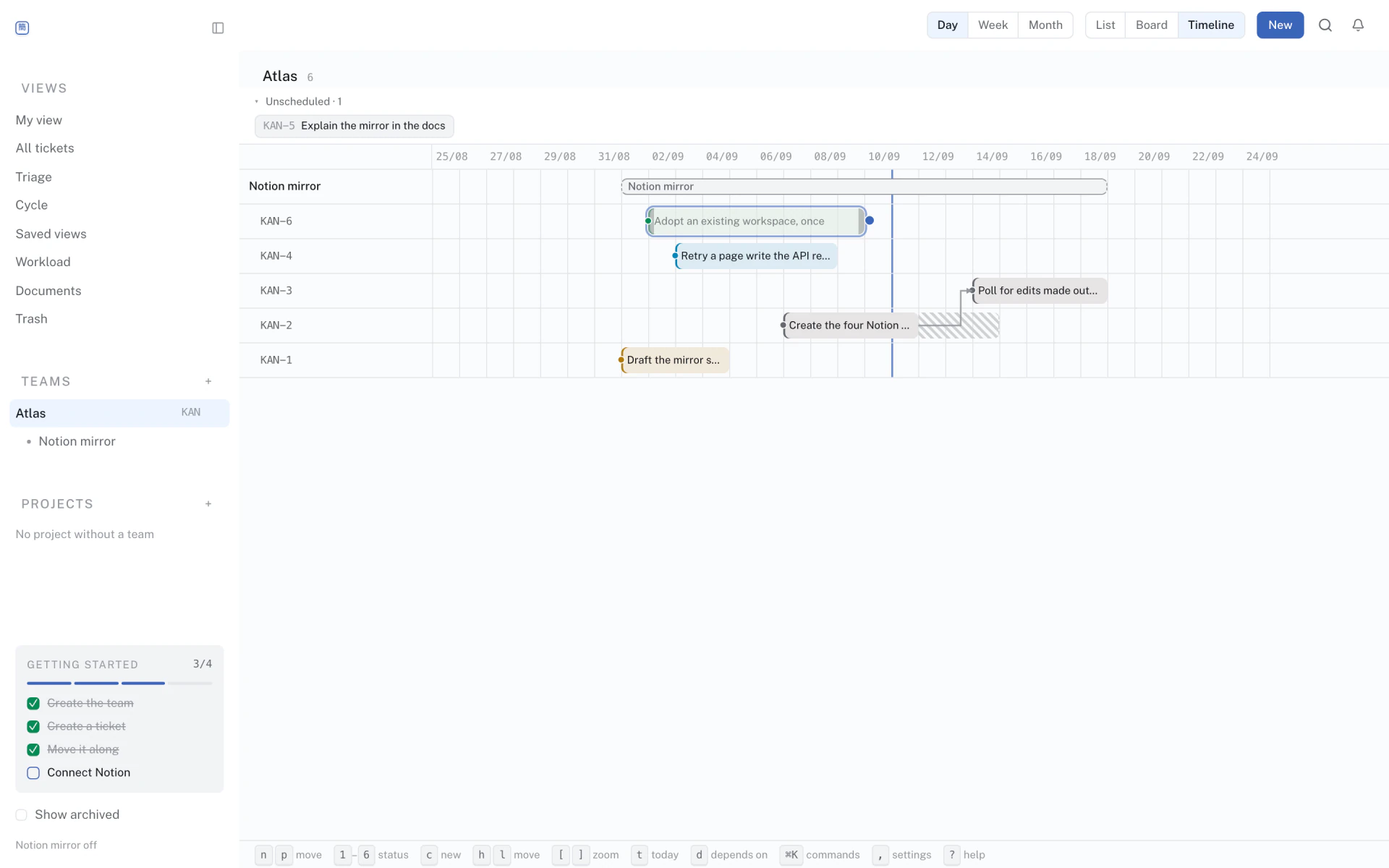
Bars, dependencies between them, and a warning when two overlap. One scoped query, drawn as time.
-
04
Read it as a board
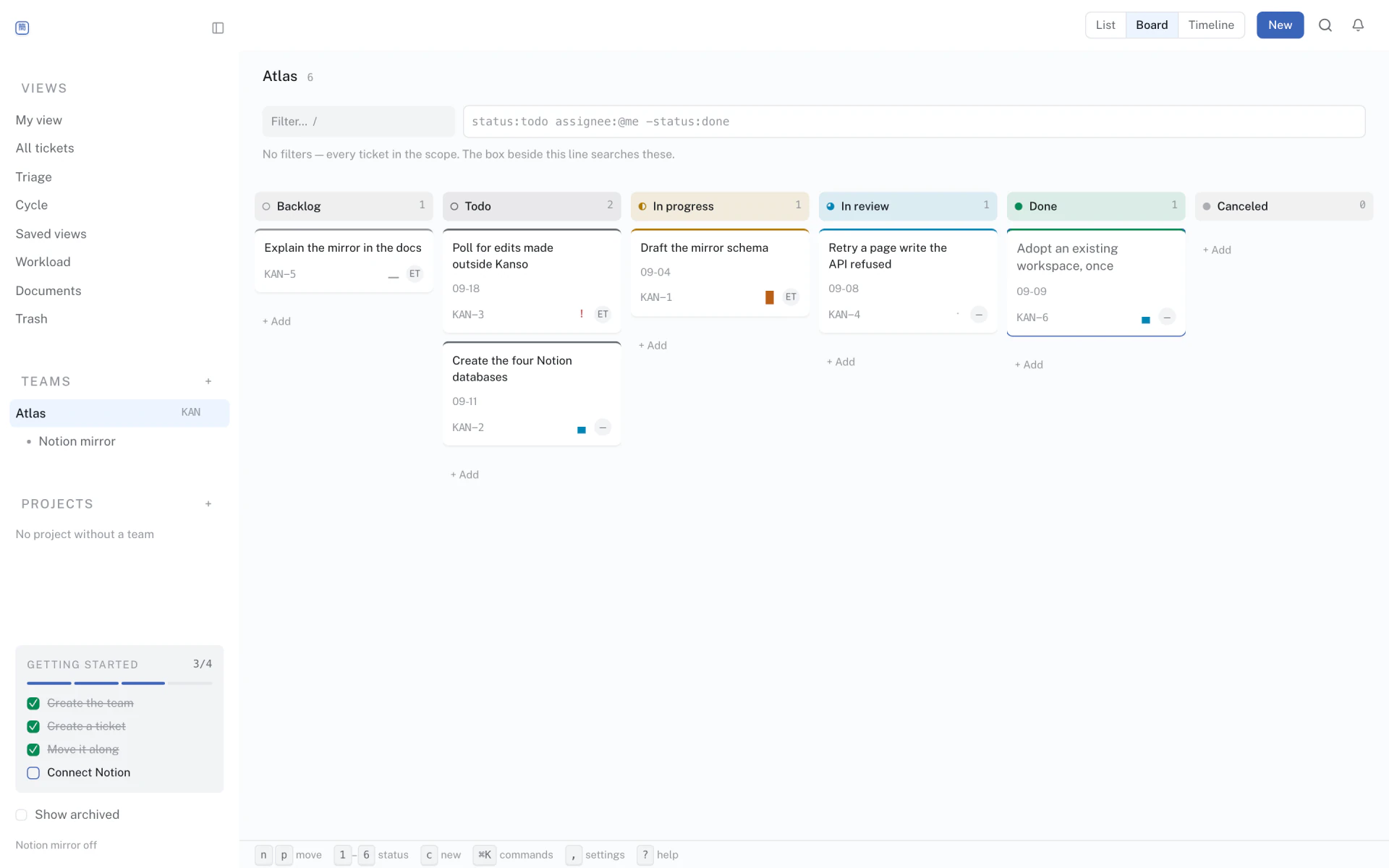
The same query, drawn as one column per status the team has. Dragging a card changes the status and nothing else. Scoped wider than one team, the columns become the five meanings both vocabularies share, and a drop writes each card's own team's word.
-
05
Read it as one person's list
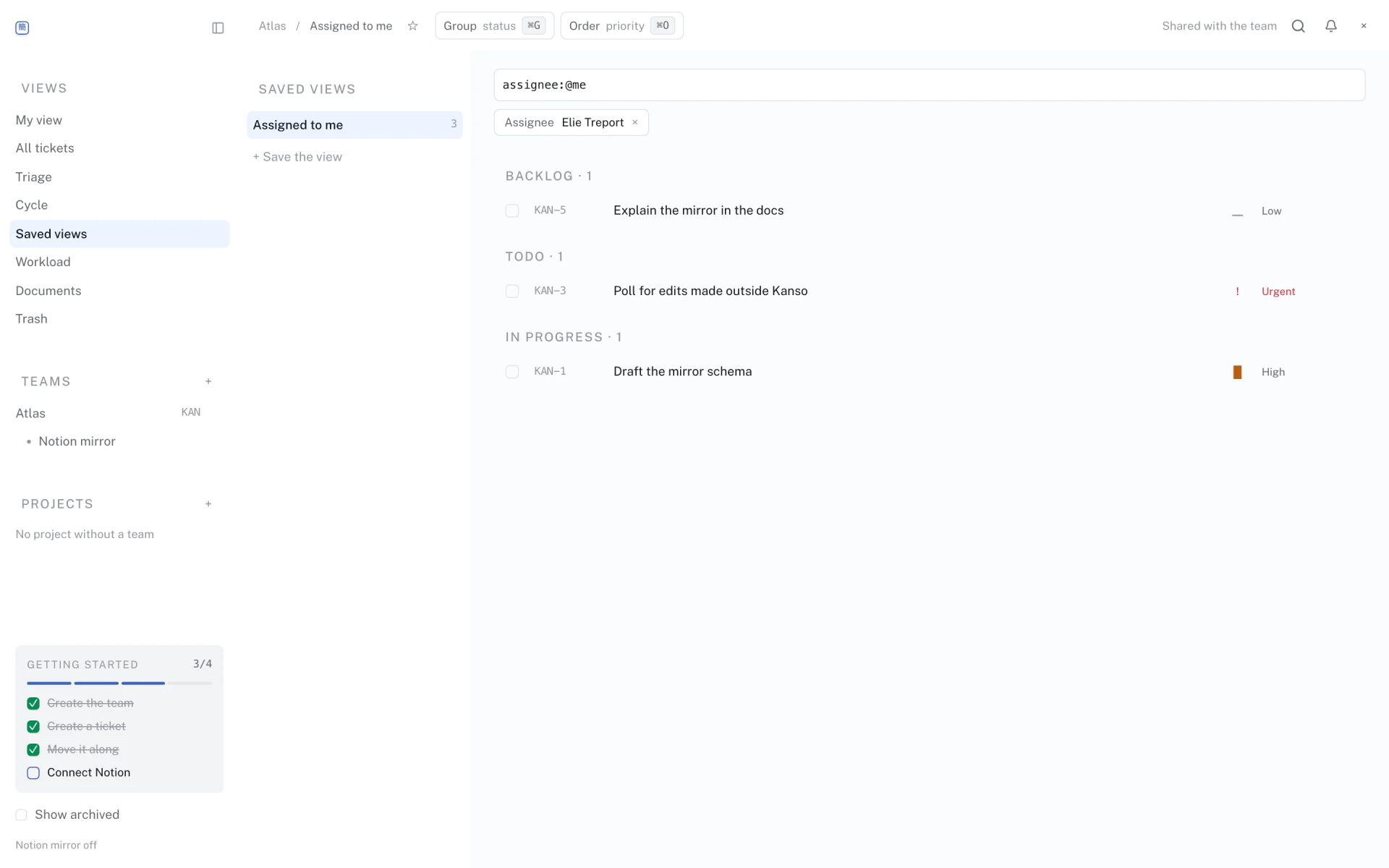
The same query again, filtered to an assignee and kept as a saved view. List, board and timeline are three dispositions of one query, not three features to keep in step — which is also why workload per person is a reading of the same rows and not a report.
What it is
Four things, in this order
A whole project, not a task list.
Cycles, a roadmap, a timeline that knows its dependencies and warns about overlap, workload per person.
The document sits next to the work.
Notion pages are referenced by projects and tickets, many-to-many on both sides. The page that explains a decision hangs off the work it decided, instead of being filed in a second tool.
At the keyboard.
j/k to move, 1–6 for your team's own statuses, ⌘K for the palette, / to filter. The same keys in all three views.
Nobody else has to learn Kanso.
Connect Notion and Kanso feeds four databases. The people who only need to follow along build their own views there and never open Kanso.
Notion
Both directions, and only one of them is a loop
Outbound, continuously
Every write enqueues a job in the same transaction, and a worker pushes it into four databases. Readers filter, group and chart them in Notion the way they already do, and never open Kanso. Postgres stays the source of truth; Notion catches up, and Kanso stays usable while it is down.
- Kanso · Teams
- Kanso · Projects
- Kanso · Tickets
- Kanso · Docs
Inbound, once
Arrive with six months of tickets already in Notion and the import adopts them: it lists the databases it can see, you say which team each one becomes, and it copies the pages in. Once. Afterwards tickets are created in Kanso — a page created in Notion later is logged and left where it is, and the poller only carries scalar fields back: title, status, priority, dates, archived. Assignees and relations stay Kanso's.
One door to move in, one source of truth to live in.
Run it
Two commands, on your own machine
cp .env.example .env      # fill in OIDC credentials, or set KANSO_AUTH_MODE=dev
docker compose up- Web — localhost:3000
- API — localhost:8080
- Health — localhost:8080/actuator/health
First launch opens a setup wizard. You create the owner account with an email and a password, then — if you want to — link Notion, enable Google sign-in and pick a theme. Every step after the account is skippable and reopenable from settings, so you can be filing tickets in under a minute.
Notion is optional. With no token every write still enqueues a sync job and a no-op client completes it: the queue and the retry machinery run, and nothing leaves the machine.
Open source
AGPL-3.0, and hostable by you
AGPL-3.0. No paid edition, no feature kept behind a wall.
Reviewed within a week. No CLA to sign.
Read the sourceBefore you start
- Clone it and run
docker compose up kanso - Read the contributing guide (5 min)
- Say hello in the ticket's discussion
- Open a pull request, even an incomplete one
It runs the project. Everyone else reads it in Notion.
One instance, your Postgres, your Notion token or none at all. Nothing to sign up for and nothing to send us — there is no telemetry to switch off.
docker compose up
The repository